 TestOwl
Flows (Reusable Steps)
Creating a Flow
You can create a Flow in any of the following ways:
- 1Record a new Flow using the Recorder.
- 2Create a Flow from selected steps by selecting multiple steps in a Test Case and choosing Create Flow from Selection.
- 3Build one manually in the Step Editor by dragging steps from the Step Palette.
Using a Flow
Drag a Flow from the Flows section of the Step Palette into a Test Case or another Flow.
The Flow appears as a single collapsible step in the Step Tree. You can expand it to inspect the steps it contains, but any changes must be made by editing the original Flow.
Flows are live references
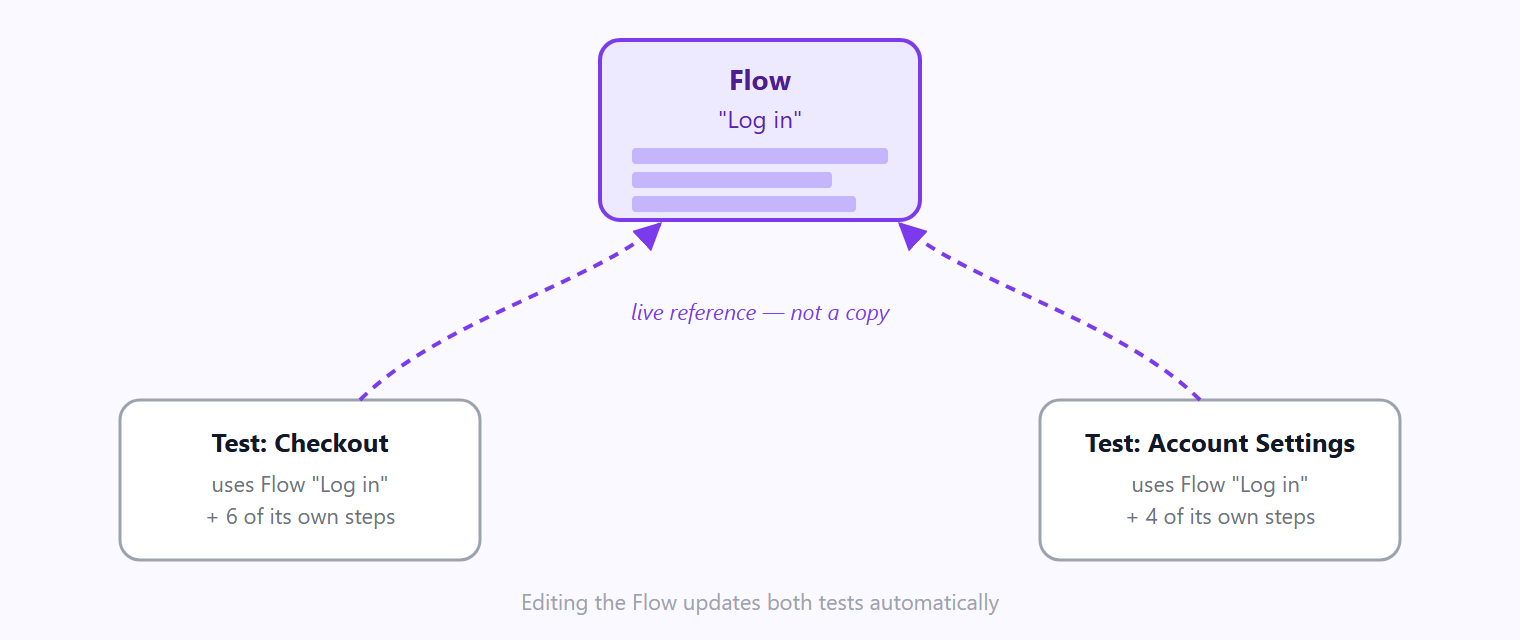
One Flow, referenced by multiple tests. Update the Flow once, and every test automatically uses the latest version.
Flows can reference other Flows
Flows aren't limited to Test Cases—they can also be reused inside other Flows.
This allows you to build larger workflows from smaller reusable building blocks. For example, a Checkout Flow might reference separate Login, Add Item to Cart, and Apply Coupon Flows.
To keep your project maintainable, TestOwl automatically prevents circular references. A Flow can't directly or indirectly reference itself.
Where a Flow is used
Every Flow displays a Used In count, showing how many Test Cases and Flows currently reference it.
Before making significant changes, it's good practice to review where the Flow is used, especially if multiple tests depend on it.
Deleting a Flow
If a Flow is still being used elsewhere, TestOwl prevents accidental deletion.
If you choose to Force Delete, the Flow is removed and its references are automatically removed from every Test Case and Flow that used it.
Deleting a shared Flow affects multiple tests
Organising Flows
As your project grows, your Flow library will grow with it.
To keep it easy to navigate:
- Give Flows clear, action-based names such as Log in as Admin, Add Item to Cart, or Complete Checkout.
- Use Tags to group related Flows.
- Keep each Flow focused on a single reusable task rather than one long end-to-end workflow.
Small, focused Flows are easier to understand, maintain, and reuse across different tests.
Best practices
- Keep each Flow focused on a single responsibility.
- Reuse Flows instead of duplicating the same steps across multiple tests.
- Use descriptive names that clearly explain what the Flow does.
- Review the Used In count before making major changes to shared Flows.
- Build larger workflows by combining smaller Flows instead of creating one large Flow.