 TestOwl
Variables
Common use cases
Variables are useful for values that change over time or are reused across multiple tests.
Some common examples include:
- Application URLs
- Usernames
- Email addresses
- Product IDs
- Search terms
- Order numbers
- Environment-specific values
For sensitive values such as passwords, API keys, or access tokens, use Secrets instead.
Creating a Variable
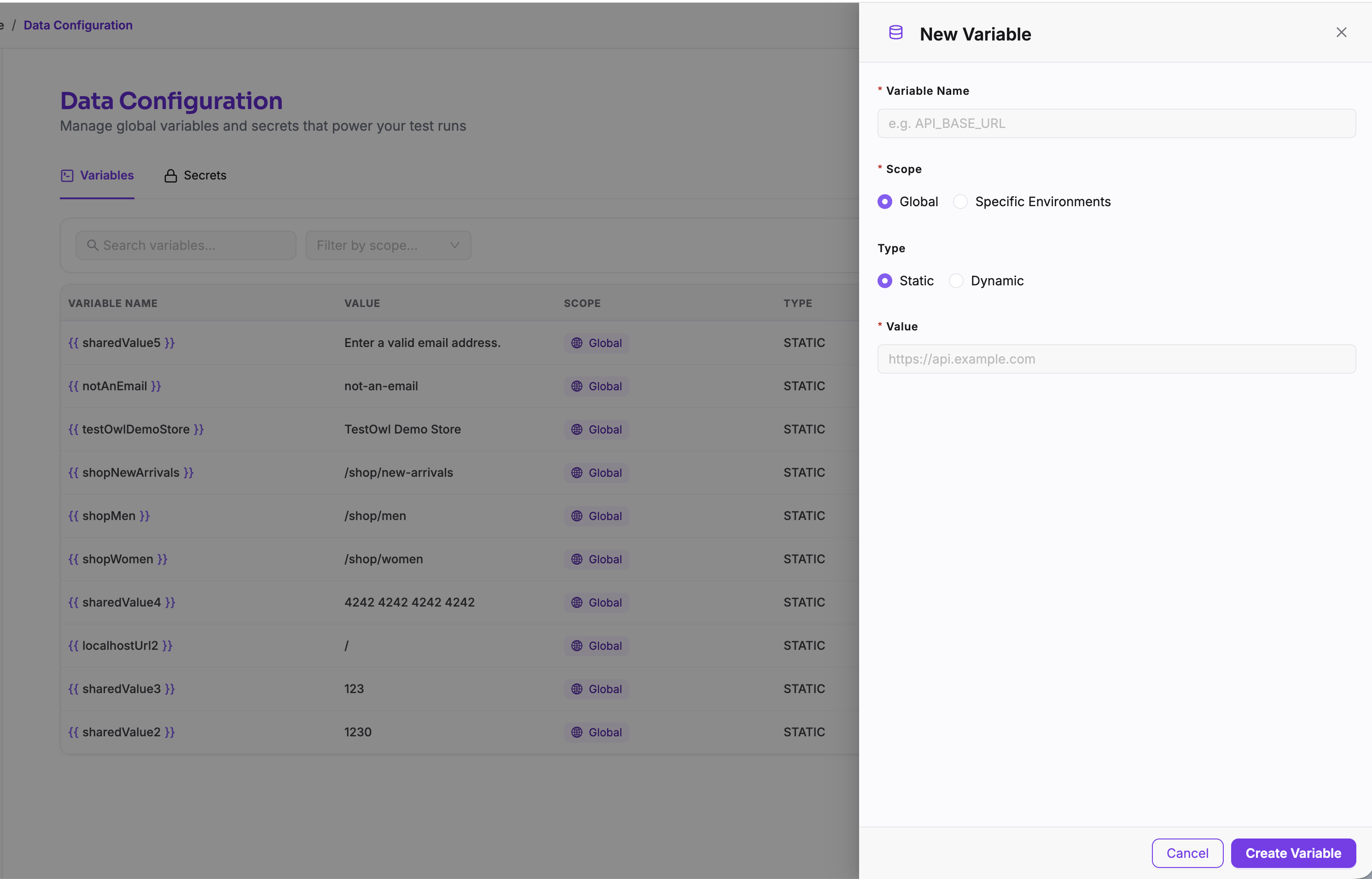
To create a Variable:
- 1Open Data Config from the sidebar.
- 2Select the Variables tab.
- 3Click New Variable.
- 4Enter a unique name.
- 5Enter its value.
- 6Choose whether the Variable should be available globally or only for specific Environments.
- 7Save the Variable.
Using Variables
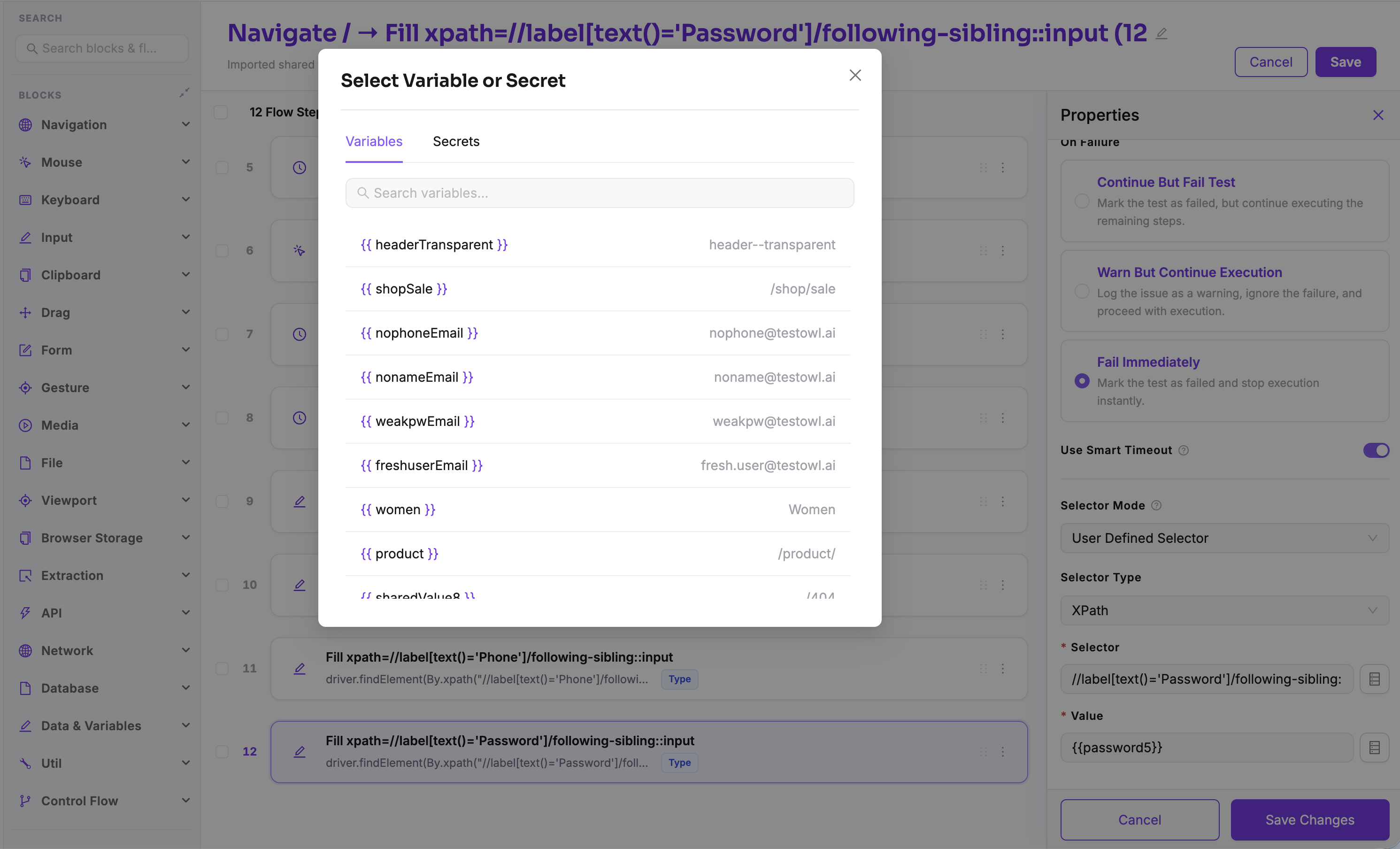
Variables can be used in any step that supports them.
Reference a Variable using double curly braces:
Most supported fields include a Select Variable or Secret button, allowing you to insert Variables without typing their names manually.
Variable scope
Variables can be configured with different scopes.
Global Variables
A global Variable is available throughout the entire project and can be used in every Test Case, Flow, and Environment.
Examples include:
- Company name
- Default language
- Shared email address
Environment-specific Variables
Environment-specific Variables override the global value for a particular Environment.
This is useful when different environments require different values, such as:
- Base URLs
- Test accounts
- Database identifiers
- API endpoints
For example:
| Environment | apiBaseUrl |
|---|---|
| Development | https://dev.example.com |
| Staging | https://staging.example.com |
| Production | https://example.com |
Editing Variables
Updating a Variable automatically updates every Test Case and Flow that references it.
There's no need to edit individual tests when a shared value changes.
Deleting Variables
Deleting a Variable moves it to the Trash instead of permanently removing it.
Variables remain in the Trash for 15 days, after which they are permanently deleted.
Before deleting a Variable
Best practices
- Use Variables instead of repeating the same value across multiple tests.
- Give Variables descriptive names such as
apiBaseUrloradminUsername. - Store sensitive information in Secrets, not Variables.
- Keep Environment-specific values inside Environment-specific Variables.
- Delete unused Variables regularly to keep your project organised.