 TestOwl
Test Data Generator
Creating a Test Data Variable
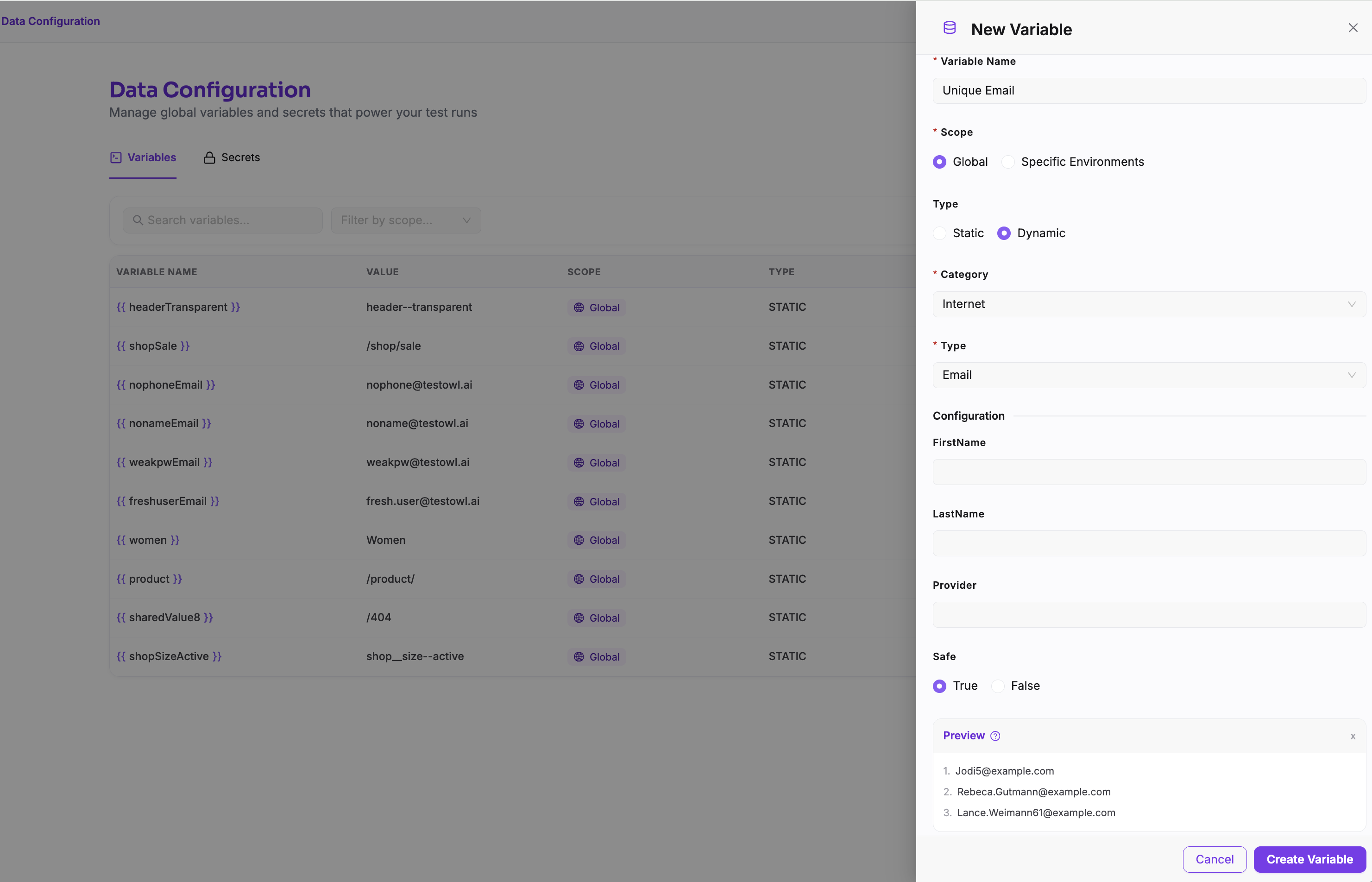
To create a Test Data Variable:
- 1
Open Data Config from the sidebar.
- 2
Select the Variables tab.
- 3
Click New Variable.
- 4
Enter a unique name for the Variable.
- 5
Select the Variable type:
- Static — Enter a fixed value that will be stored and reused whenever the Variable is used.
- Dynamic — Configure the data generator settings to generate a value dynamically during test execution.
- 6
Choose whether the Variable should be available globally or only for specific Environments.
- 7
Save the Variable.
The created Variable can now be used in supported test steps by selecting it as the input value.
Available data categories
TestOwl includes generators for many different types of data, including:
- Person
- Internet
- Address
- Company
- Commerce
- Finance
- Date & Time
- Numbers
- Text
- Phone Numbers
- UUIDs
- Colours
- Images
- Vehicle
- Location
- Lorem Ipsum
- And many more.
The available generators continue to grow over time as new data types are added.
Dynamic values
Many generators create a new value every time your test runs.
For example, a generated email address or random number won't remain fixed after you save the Test Case. Instead, a fresh value is generated during each execution.
This allows the same Test Case to be executed repeatedly without manually changing the test data.
Generated values are different every run
Common use cases
The Test Data Generator is useful for:
- Creating unique email addresses during user registration.
- Generating realistic customer names and addresses.
- Creating random product names and descriptions.
- Generating order numbers and reference IDs.
- Populating forms with realistic test data.
- Creating varied inputs to improve test coverage.
Test Data vs Variables vs Secrets
Each feature serves a different purpose.
| Feature | Best used for |
|---|---|
| Test Data Generator | Random, realistic values generated during test execution. |
| Variables | Reusable non-sensitive values shared across Test Cases. |
| Secrets | Sensitive values such as passwords, API keys, and access tokens. |
Choose the feature that best matches the type of data your test requires.
Best practices
- Generate dynamic data for values that must be unique.
- Use Variables for values shared across multiple tests.
- Store sensitive credentials in Secrets rather than generated data.
- Keep generated data realistic to better simulate real user behaviour.