 TestOwl
Recorder
Before you begin
Before starting a recording, make sure you have:
- A project
- The TestOwl Desktop App installed and running
- The URL of the web application you want to test
Start recording
Open your project and navigate to the Home page.
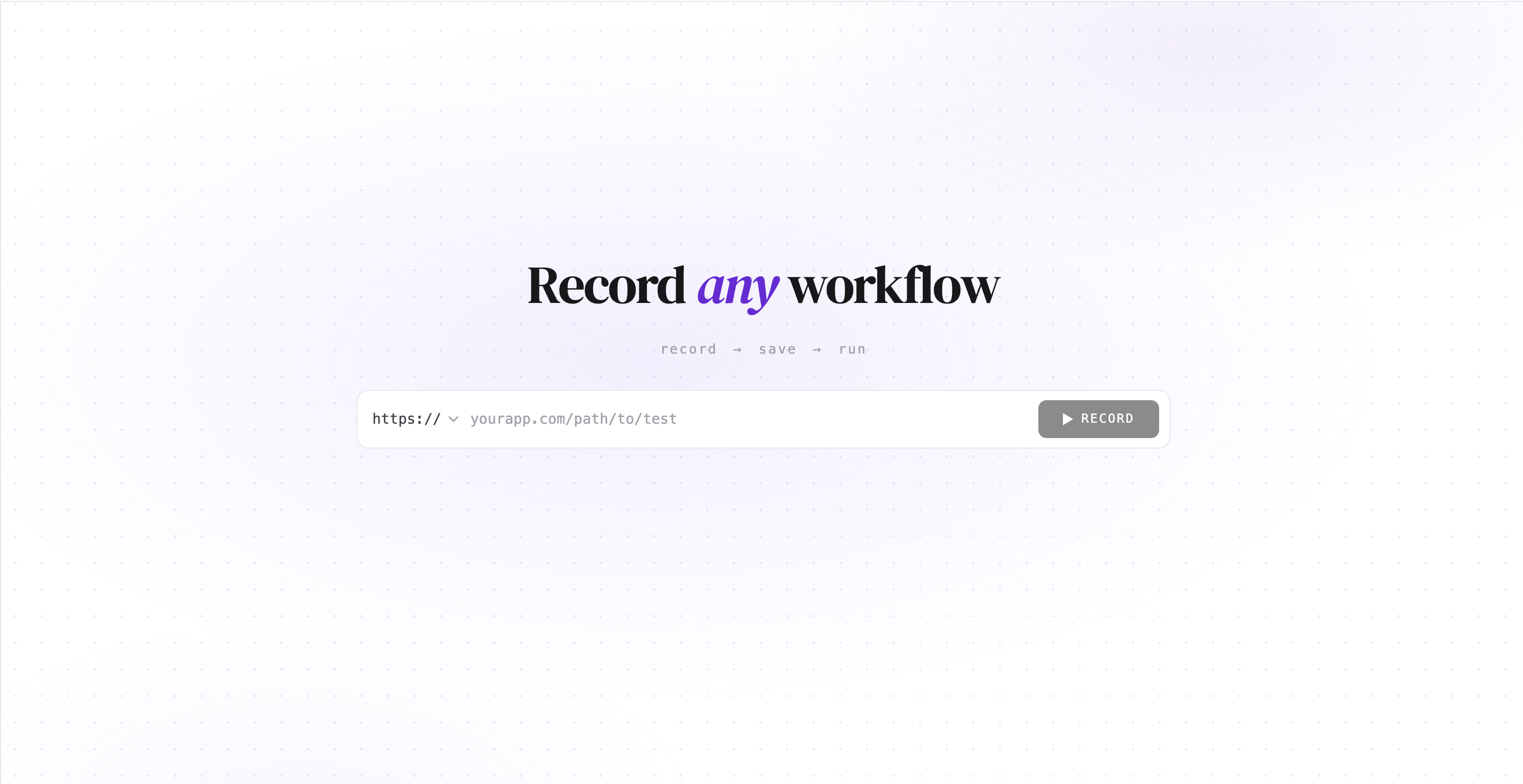
Enter the URL of the web application you want to test and click Record.
TestOwl Desktop App launches the browser, opens your application, and immediately starts capturing your interactions as editable test steps.
Record your user journey
Use your application exactly as an end user would.
For example:
- Navigate between pages
- Click buttons and links
- Fill in forms
- Select options
- Submit forms
As you interact with your application, TestOwl automatically converts your actions into test steps in real time. You don't need to wait until the recording finishes—new steps appear immediately as they're captured.
Continue recording until you've completed the user journey you want to automate, then stop the recording.
Review your recorded steps
Once you've stopped recording, review the generated test steps before saving.
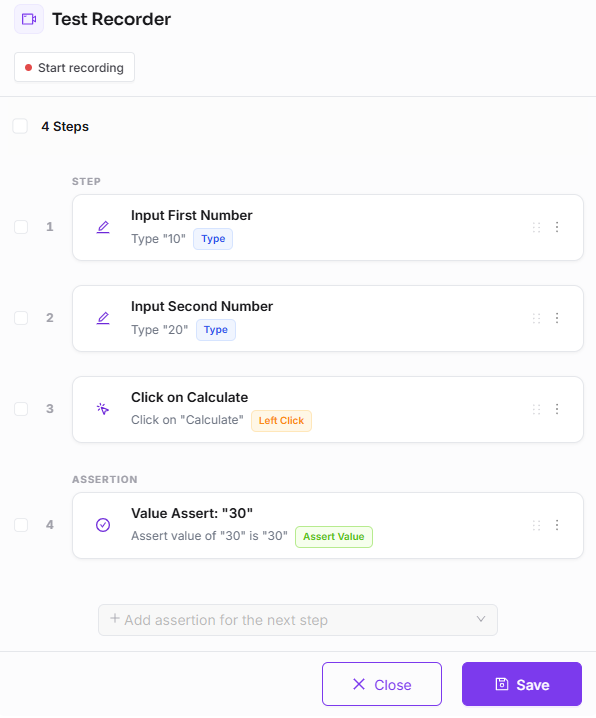
Every recorded step is fully editable. You can:
- Edit step properties
- Reorder steps
- Delete unnecessary steps
- Add new steps
- Configure step properties
When you're happy with your recording, save it as either:
- A Test Case for automated execution.
- A Flow if the recorded sequence will be reused across multiple tests.
For example, a login sequence is usually a good candidate for a reusable Flow.
Supported recording actions
The recorder automatically converts common browser interactions into TestOwl steps.
| Your action | Recorded as |
|---|---|
| Open a page or navigate to a URL | Visit Page |
| Click an element | Left Click |
| Double-click an element | Double Click |
| Right-click an element | Right Click |
| Type into an input field | Type Text |
| Press keyboard keys | Keyboard Action |
| Select an option | Select Option |
| Check or uncheck a checkbox | Checkbox Action |
The recorder automatically captures the most common browser interactions. TestOwl supports many more step types that you can add while building your test.
You can also create assertions directly from the Recorder, allowing you to validate text, element visibility, attributes, element state, URLs, and many other conditions while recording your user journey.