 TestOwl
Secrets
Common use cases
Secrets are commonly used for:
- Passwords
- API keys
- Access tokens
- Client secrets
- Database credentials
- Authentication tokens
Creating a Secret
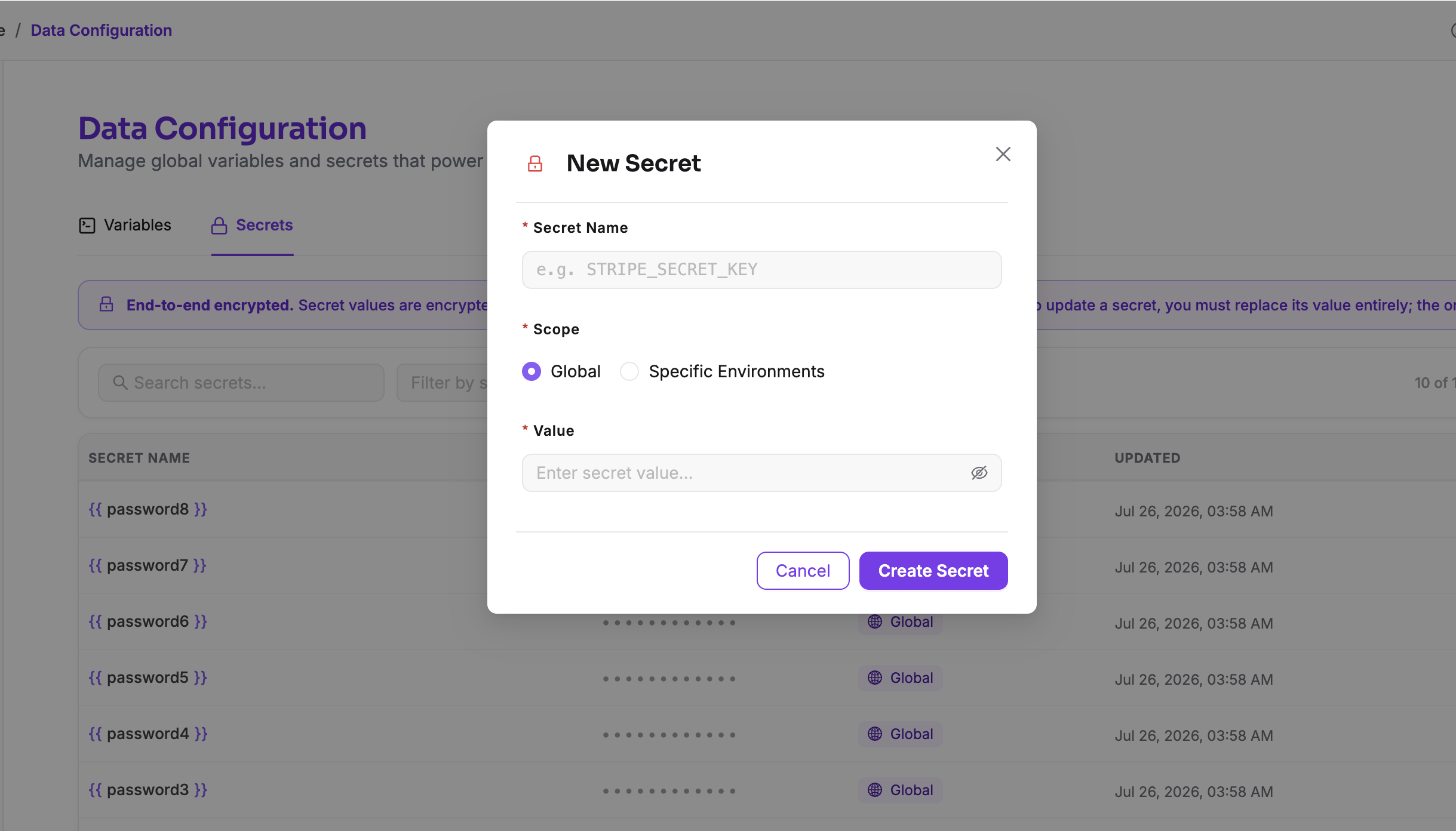
To create a Secret:
- 1Open Data from the sidebar.
- 2Select the Secrets tab.
- 3Click New Secret.
- 4Enter a unique name.
- 5Enter the secret value.
- 6Choose whether the Secret should be available globally or only for specific Environments.
- 7Save the Secret.
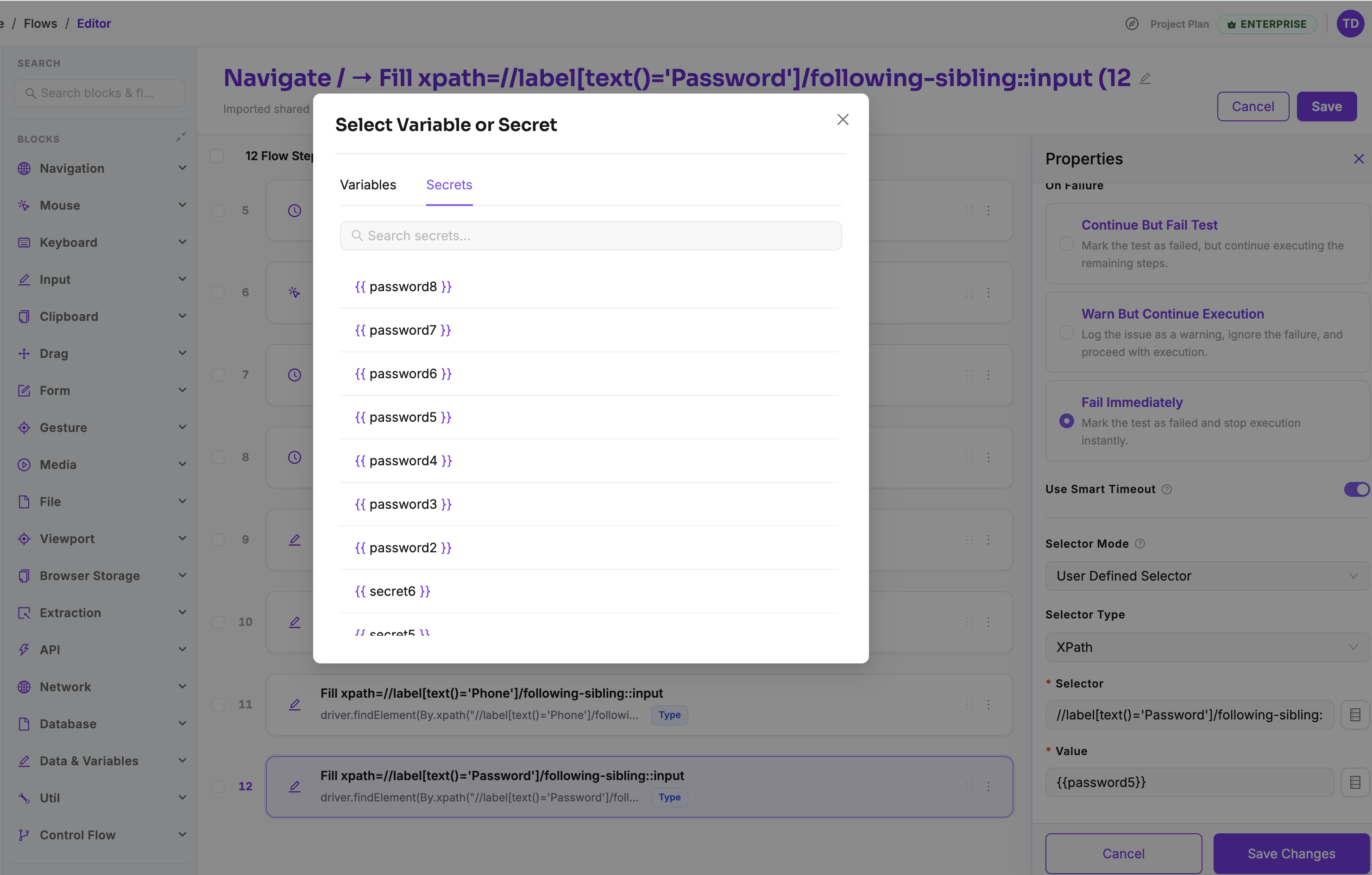
Using Secrets
Secrets are referenced exactly like Variables using double curly braces.
Most supported fields include a Select Variable or Secret button, allowing you to insert Secrets without typing their names manually.
Secret scope
Secrets support the same scoping options as Variables.
Global Secrets
Global Secrets are available throughout the entire project.
Examples include:
- Shared API keys
- Common authentication tokens
- Company-wide credentials
Environment-specific Secrets
Environment-specific Secrets allow different environments to use different credentials while keeping the same Secret name.
For example:
| Environment | stripeApiKey |
|---|---|
| Development | Development API key |
| Staging | Staging API key |
| Production | Production API key |
This allows the same Test Case to run against different environments without modification.
Updating Secrets
Unlike Variables, Secret values are write-only.
When updating a Secret, you'll be asked to provide the current value before entering the new one. This helps prevent accidental or unauthorised changes.
Secret values are never displayed
Deleting Secrets
Deleting a Secret moves it to the Trash instead of permanently removing it.
Secrets remain in the Trash for 15 days, after which they are permanently deleted.
Before deleting a Secret
Security
TestOwl encrypts every Secret before storing it. Secret values are never displayed in the user interface after creation and are only accessed during test execution when required.
Best practices
- Store all passwords, API keys, and tokens as Secrets.
- Never store sensitive values in Variables.
- Use descriptive names such as
stripeApiKeyoradminPassword. - Use Environment-specific Secrets when credentials differ between environments.
- Delete unused Secrets regularly to keep your project organised.