 TestOwl
Project Plan
Every TestOwl project runs on a specific subscription plan. Your plan determines the resources and features available for that project.
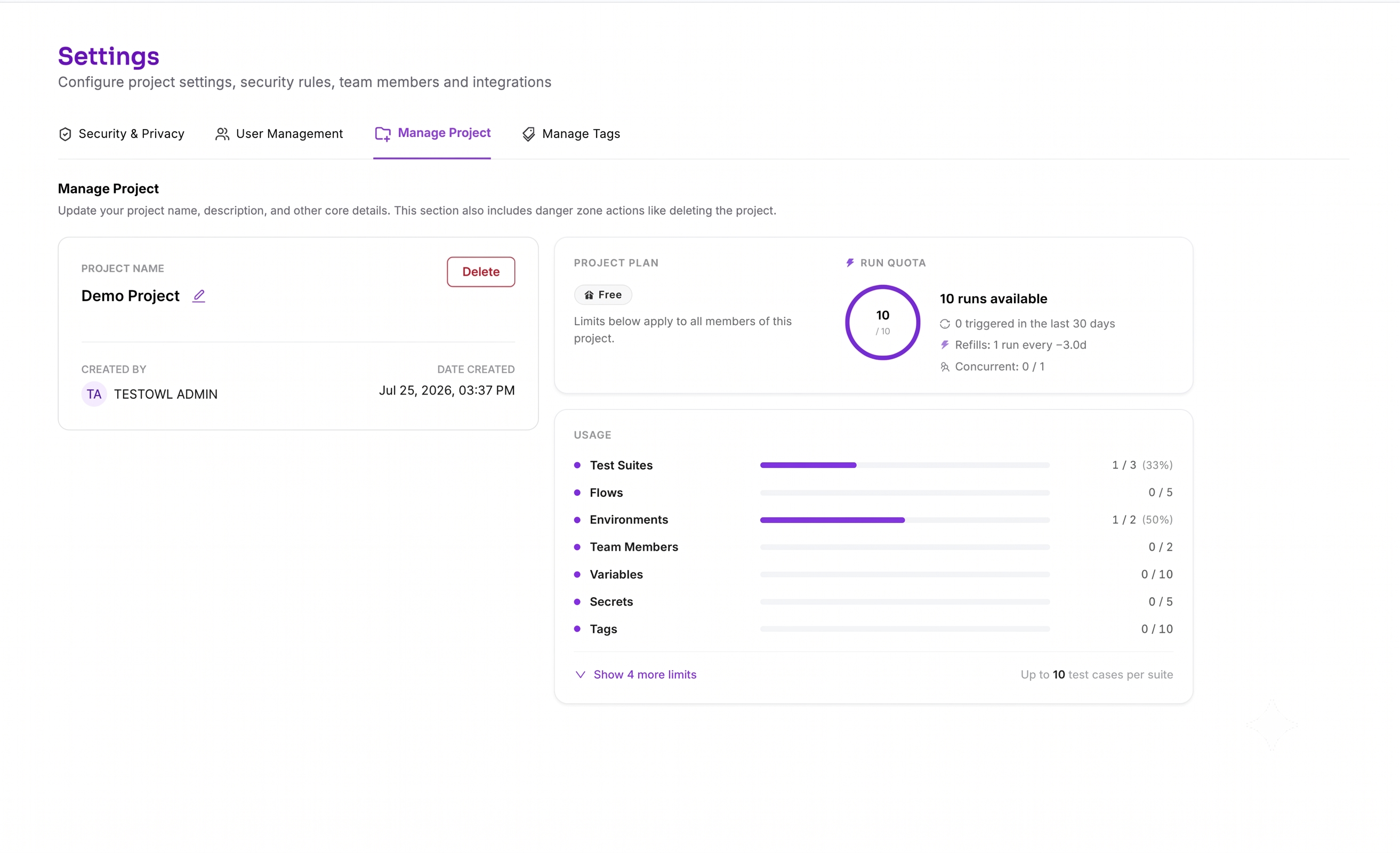
To view your project's current plan and resource usage, open Settings and navigate to the Project Plan tab.
What you can see
The Project Plan page displays:
- Your current subscription plan.
- Resource limits for your project.
- Current usage for each available resource.
- Available features included in your plan.
This helps you understand how much of your project's capacity has already been used.
Resource usage
Depending on your subscription plan, limits may apply to resources such as:
- Test Suites
- Test Cases
- Flows
- Environments
- Team Members
- Variables
- Secrets
- Tags
- Masking Rules
When a resource reaches its limit, you'll need to delete unused items or upgrade your project plan before creating additional resources.
Plan upgrades
If your team needs additional resources or premium features, you can upgrade your project plan at any time.
Upgrading immediately increases the limits available to your project without affecting your existing tests, environments, or project data.
Project-level plans