 TestOwl
Project Roles
Project roles help you control who can build tests, manage project settings, invite teammates, and administer the project.
Role permissions
| Permission | Owner | Admin | Editor | Viewer |
|---|---|---|---|---|
| View project | ✅ | ✅ | ✅ | ✅ |
| View Test Suites, Test Cases, Flows & Reports | ✅ | ✅ | ✅ | ✅ |
| Create and edit Test Suites, Test Cases & Flows | ✅ | ✅ | ✅ | ❌ |
| Create and manage Environments | ✅ | ✅ | ✅ | ❌ |
| Manage Variables, Secrets, Tags & Masking Rules | ✅ | ✅ | ❌ | ❌ |
| Invite and manage team members | ✅ | ✅ | ❌ | ❌ |
| Manage project settings | ✅ | ✅ | ❌ | ❌ |
| Delete the project | ✅ | ❌ | ❌ | ❌ |
Owner
The Owner has full control over the project.
Owners can:
- Manage every aspect of the project.
- Invite, remove, and manage team members.
- Change member roles.
- Manage project settings.
- Delete the project.
- Transfer project ownership to another member.
A project can have multiple Owners.
Admin
Admins can manage almost everything within a project.
They can:
- Manage team members.
- Change member roles.
- Manage project settings.
- Create, edit, and organise tests.
- Manage environments.
- Manage Variables, Secrets, Tags, and Masking Rules.
The only action reserved for Owners is deleting the project.
Editor
Editors build and maintain automated tests.
They can:
- Create and edit Test Suites.
- Create and edit Test Cases.
- Create and edit Flows.
- Create and manage Environments.
- Trigger test runs.
Editors cannot manage project settings or team members.
Viewer
Viewers have read-only access to the project.
They can:
- View Test Suites.
- View Test Cases.
- View Flows.
- View Run History.
- View Reports.
Viewers cannot modify project content or project settings.
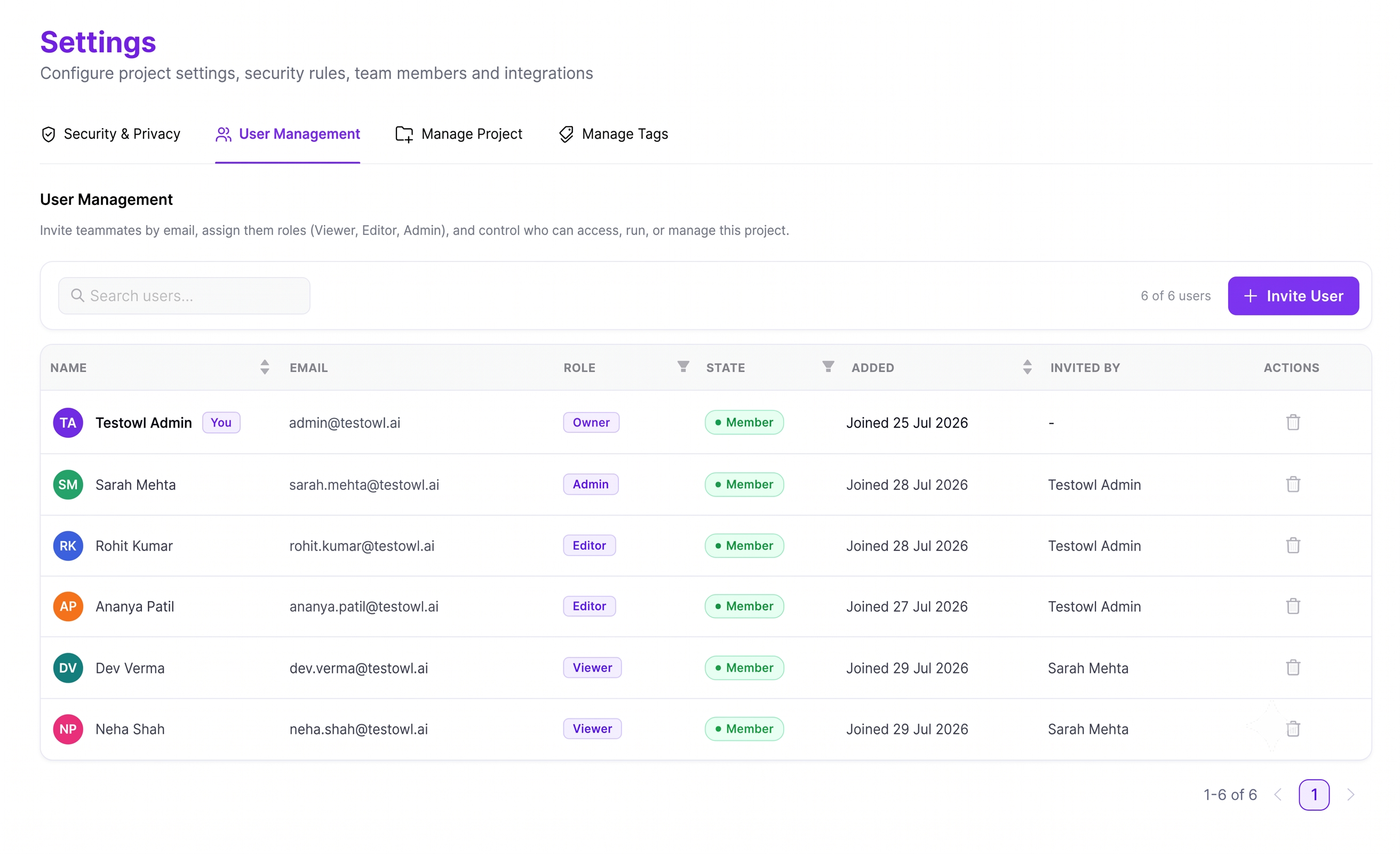
Changing roles
Owners and Admins can change the role of any project member.
Role changes take effect immediately, so updated permissions are applied without requiring the user to sign out and back in.
Transferring ownership
A project can have multiple Owners.
If an Owner wants to leave the project, ownership must first be transferred to another member. TestOwl prevents the last remaining Owner from leaving until another Owner has been assigned.
Removing members
Owners and Admins can remove members from a project at any time.
Removing a member immediately revokes their access to the project but does not affect any Test Suites, Test Cases, Flows, Environments, Variables, Secrets, or other project resources they previously created.
Team limits
The number of members that can be added to a project depends on your subscription plan.
See Plans & Usage for your project's available limits.